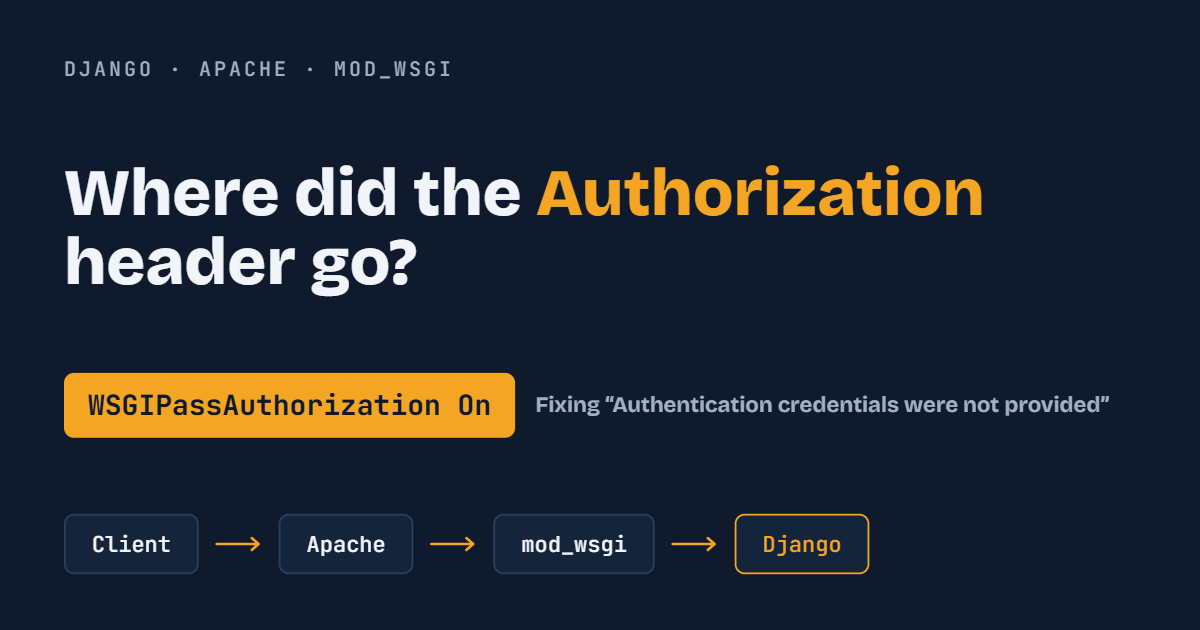
You build a Django REST Framework API with token or API-key authentication. It works perfectly on your laptop. You deploy it behind Apache and mod_wsgi, and suddenly every authenticated request fails:
{
    "detail": "Authentication credentials were not provided."
}
The client is sending the credentials. Your code hasn't changed. So what went wrong?
The cause is usually a single missing line in your Apache configuration: WSGIPassAuthorization On.
The Problem
A client sends a request like this:
GET /api/status/
Authorization: Api-Key abc123
Inside your Django view, you check for the header:
request.META.get("HTTP_AUTHORIZATION")
Instead of Api-Key abc123, you get:
None
Django REST Framework reads credentials from this header. If it's missing, DRF treats the request as unauthenticated, and you get a 401 or 403 response, even though the client did send valid credentials.
Why This Happens
When you run Django with python manage.py runserver, the request goes straight from the client to Django, so every header arrives intact.
In production, there is an extra layer:
Client → Apache → mod_wsgi → Django → DRF
Apache receives the request first. By default, mod_wsgi does not pass the Authorization header to the WSGI application. This is intentional: Apache has its own authentication modules (Basic Auth, Digest Auth, and so on) that use this header, so mod_wsgi assumes Apache may be handling authentication itself and withholds the header from your app as a security precaution.
If your application handles authentication (as DRF does with tokens, API keys, or JWTs), you have to tell mod_wsgi to forward the header.
The Solution
Add this directive to your Apache configuration:
WSGIPassAuthorization On
Full Example
<VirtualHost *:443>
    ServerName example.com

    WSGIDaemonProcess myproject python-path=/home/ubuntu/myproject
    WSGIProcessGroup myproject
    WSGIScriptAlias / /home/ubuntu/myproject/myproject/wsgi.py

    WSGIPassAuthorization On

    <Directory /home/ubuntu/myproject/myproject>
        <Files wsgi.py>
            Require all granted
        </Files>
    </Directory>
</VirtualHost>
After editing the config, test it and reload Apache:
sudo apache2ctl configtest
sudo systemctl reload apache2
How the Request Flows
Client
   │
   │  Authorization: Api-Key abc123
   ▼
Apache
   │
   │  WSGIPassAuthorization On   ← header is forwarded
   ▼
mod_wsgi
   │
   ▼
Django / Django REST Framework
   │
   ▼
Authentication succeeds
Without the directive, the header is dropped at the mod_wsgi step and never reaches Django.
Verifying the Fix
You can confirm the header is arriving by checking request.META in a view:
authorization = request.META.get("HTTP_AUTHORIZATION")
print("Authorization header present:", bool(authorization))
Before enabling the directive:
Authorization header present: False
After enabling it:
Authorization header present: True
Security tip: Never log the actual token or API key in production. Check whether the header exists (as above) rather than printing its value.
A Classic Symptom: "It Works Locally but Fails in Production"
This is the most common way the issue shows up.
Environment Request path Result Local Client → Django dev server → DRF Works Production Client → Apache → mod_wsgi → Django → DRF 401/403
If your API behaves differently between local and production and the only difference is Apache sitting in front, check whether the Authorization header is reaching Django.
Troubleshooting Checklist
- Is the directive in the right place?
WSGIPassAuthorizationcan be set at server, virtual host, or directory level. Placing it inside the<VirtualHost>block is the safest choice. - Did you reload Apache? Config changes don't take effect until you reload or restart.
- Is another proxy involved? If you use Nginx or a load balancer in front of Apache, make sure it forwards the
Authorizationheader too. - Does your DRF setting match the header format? For example,
Api-Key abc123requires a library that expects theApi-Keykeyword, while built-in token auth expectsToken abc123.
Conclusion
WSGIPassAuthorization On is a small setting that solves a confusing problem. Key takeaways:
- Apache with mod_wsgi does not forward the
Authorizationheader to your app by default. - Django REST Framework relies on that header for token, API-key, and similar authentication.
- Adding
WSGIPassAuthorization Onpasses the header through to Django. - The directive does not authenticate anything itself. It only lets the header reach your application, where Django/DRF does the actual authentication.