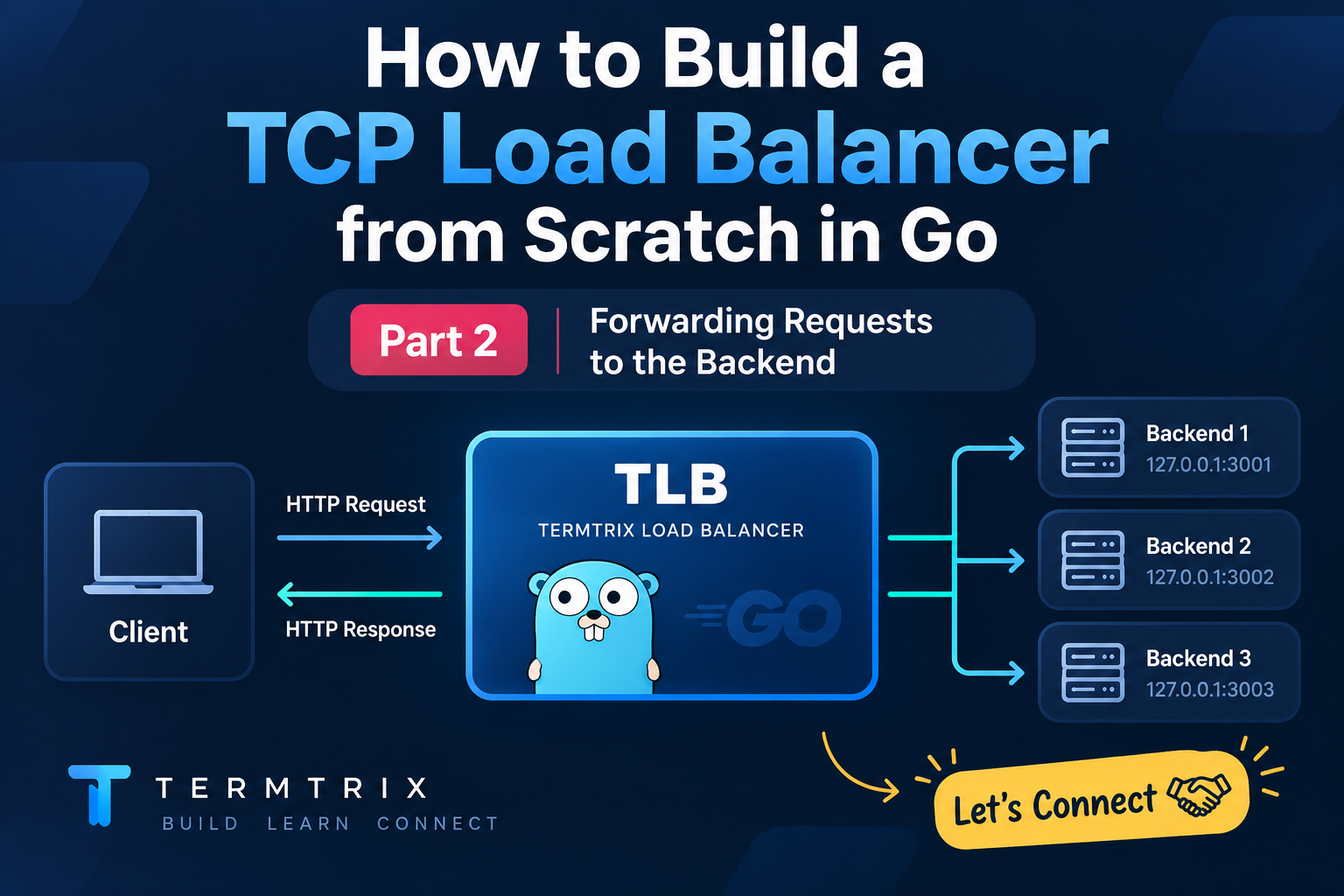
Exactly. Since Part 1 stopped at unix.Accept(), Part 2 should naturally continue from the client FD returned by Accept().
I’d structure this section like this:
Reading and Parsing the Client Request
After accepting the client connection, we now have a client file descriptor.
clientFD, clientAddr, err := unix.Accept(fd)
The next question is:
How do we actually get the HTTP request from this connection?
That's where unix.Recvfrom() comes in.
1. Reading the Client's Request
Using unix.Recvfrom()
Once the client connects to our load balancer, it sends an HTTP request over the TCP connection.
For example:
GET /hello HTTP/1.1
Host: localhost:8000
At the socket level, however, this isn't received as a Go string or an HTTP object.
It's received as bytes.
We can read those bytes using:
buff := make([]byte, 2048)

n, _, err := unix.Recvfrom(clientFD, buff, 0)

if err != nil {
    fmt.Println("recv error:", err)
    return
}

data := buff[:n]

fmt.Println(string(data))
The output will look something like:
GET /hello HTTP/1.1
Host: localhost:8000
User-Agent: curl/8.0
Accept: */*
Here:
buff := make([]byte, 2048)
creates a buffer where we'll store the incoming data.
And:
n, _, err := unix.Recvfrom(clientFD, buff, 0)
reads data from the TCP connection.
n tells us how many bytes were actually received.
That's why we use:
data := buff[:n]
instead of processing the entire 2048-byte buffer.
2. What Are We Actually Receiving?
At this point, data is simply a sequence of bytes.
For example, the beginning of:
GET /hello HTTP/1.1
is represented internally as bytes:
[71 69 84 32 47 104 101 108 108 111 32 ...]
Those numbers are the ASCII byte values of the HTTP request.
We can see the difference with:
fmt.Println(data)
fmt.Println(string(data))
Output:
[71 69 84 32 47 104 101 108 108 111 32 72 ...]
and:
GET /hello HTTP/1.1
Host: localhost:8000
This is an important point in our TLB implementation:
The network gives us bytes. We have to interpret those bytes as an HTTP request.
Parsing the HTTP Request
Now that we've captured the request, we need to understand what's inside it.
For example:
GET /hello HTTP/1.1
Host: localhost:8000
The first line contains three important pieces:
GET        /hello        HTTP/1.1
│             │             │
Method       Path        HTTP Version
So we can parse it into something like:
type IncomingRequest struct {
    Method  string
    Path    string
    Version string
    Host    string
    Port    string
}
For the request:
GET /hello HTTP/1.1
Host: localhost:8000
we want:
Method  → GET
Path    → /hello
Version → HTTP/1.1
Host    → localhost
Port    → 8000
This information becomes useful later when TLB decides where the request should go.
Why Parse the Request?
At the moment, TLB can receive:
Client → TLB
But TLB needs to understand what it received before forwarding it.
Our flow is becoming:
Client
   │
   │ HTTP request
   ▼
TLB :8000
   │
   │ Recvfrom()
   ▼
Raw bytes
   │
   │ Parse
   ▼
HTTP Request
   │
   ├── Method
   ├── Path
   ├── HTTP Version
   ├── Host
   └── Port
Now TLB isn't just blindly receiving bytes—we've started understanding the request at the application layer.
What's next?
We have successfully:
Accept → Receive → Parse
But we still haven't sent the request anywhere.
The next step is where TLB starts behaving like an actual proxy:
Take the request we received from the client and forward it to the backend server.
Forwarding the Request to the Backend
We've now reached the interesting part.
TLB has already accepted the client connection and captured the HTTP request as bytes. Now we need to move those bytes to our backend server.
Our backend is running on:
127.0.0.1:3001
The flow is:
Client
   │
   │ Request
   ▼
TLB :8000
   │
   │ Forward
   ▼
Backend :3001
   │
   │ Response
   ▼
TLB
   │
   │ Forward response
   ▼
Client
1. Creating the Outbound Backend Connection
The connection between the client and TLB is one TCP connection.
To communicate with the backend, TLB needs to create another TCP connection.
backendFD, err := unix.Socket(
    unix.AF_INET,
    unix.SOCK_STREAM,
    0,
)
Now we have two sockets:
clientFD  → Client ↔ TLB

backendFD → TLB ↔ Backend
We then define our backend address:
backendAddr := unix.SockaddrInet4{
    Port: 3001,
    Addr: [4]byte{127, 0, 0, 1},
}
And connect to it:
err = unix.Connect(backendFD, &backendAddr)

if err != nil {
    fmt.Println("backend connect:", err)
    return
}
If everything works, the connection looks like:
TLB
 │
 │ Connect()
 ▼
127.0.0.1:3001
2. Forwarding the Request
We already received the client's request:
data := buff[:n]
For example:
GET /hello HTTP/1.1
Host: localhost:8000
Those bytes can now be written directly to the backend socket:
_, err = unix.Write(backendFD, data)

if err != nil {
    fmt.Println("backend write:", err)
    return
}
The data flow is now:
Client
   │
   │ HTTP request
   ▼
TLB
   │
   │ unix.Write(backendFD, data)
   ▼
Backend :3001
TLB is essentially acting as the middleman between the client and backend.
3. Receiving the Backend Response
The backend processes the request and sends a response back through the TCP connection.
We read that response using:
resBuff := make([]byte, 2048)

n, err := unix.Read(backendFD, resBuff)

if err != nil {
    fmt.Println("backend read:", err)
    return
}

response := resBuff[:n]
For example, the backend might return:
HTTP/1.1 200 OK
Content-Type: text/plain

Hello from backend!
At the socket level, once again, this is simply bytes.
So now:
Backend :3001
      │
      │ Response bytes
      ▼
    TLB
      │
      │ unix.Read()
      ▼
 response
4. Sending the Response Back to the Client
We've received the backend response.
The final step is to send those bytes through the original client FD:
_, err = unix.Write(clientFD, response)

if err != nil {
    fmt.Println("client write:", err)
    return
}
Now the complete request-response path is:
             TERMTRIX LOAD BALANCER

Client
  │
  │ Request
  ▼
clientFD
  │
  ▼
 TLB
  │
  │ Write()
  ▼
backendFD
  │
  ▼
Backend :3001
  │
  │ Response
  ▼
backendFD
  │
  ▼
 TLB
  │
  │ Write()
  ▼
clientFD
  │
  ▼
Client
Our complete flow so far
Accept
   ↓
Receive
   ↓
Parse
   ↓
Connect to Backend
   ↓
Forward Request
   ↓
Read Backend Response
   ↓
Send Response to Client
At this point, TLB has completed its first real proxy workflow:
Client → TLB → Backend → TLB → Client
The basic request forwarding works. 🚀
But currently, we're dealing with connections one at a time. The next challenge is making TLB handle multiple clients concurrently and then introducing multiple backend servers for actual load balancing.